Coaches and parents
With a team
Coaching that gets through, with match video
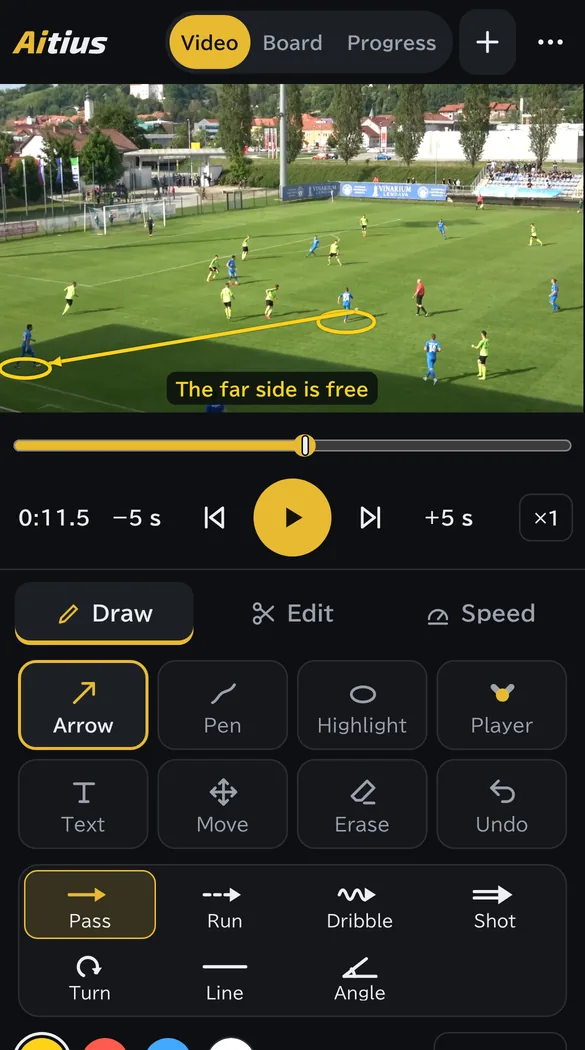
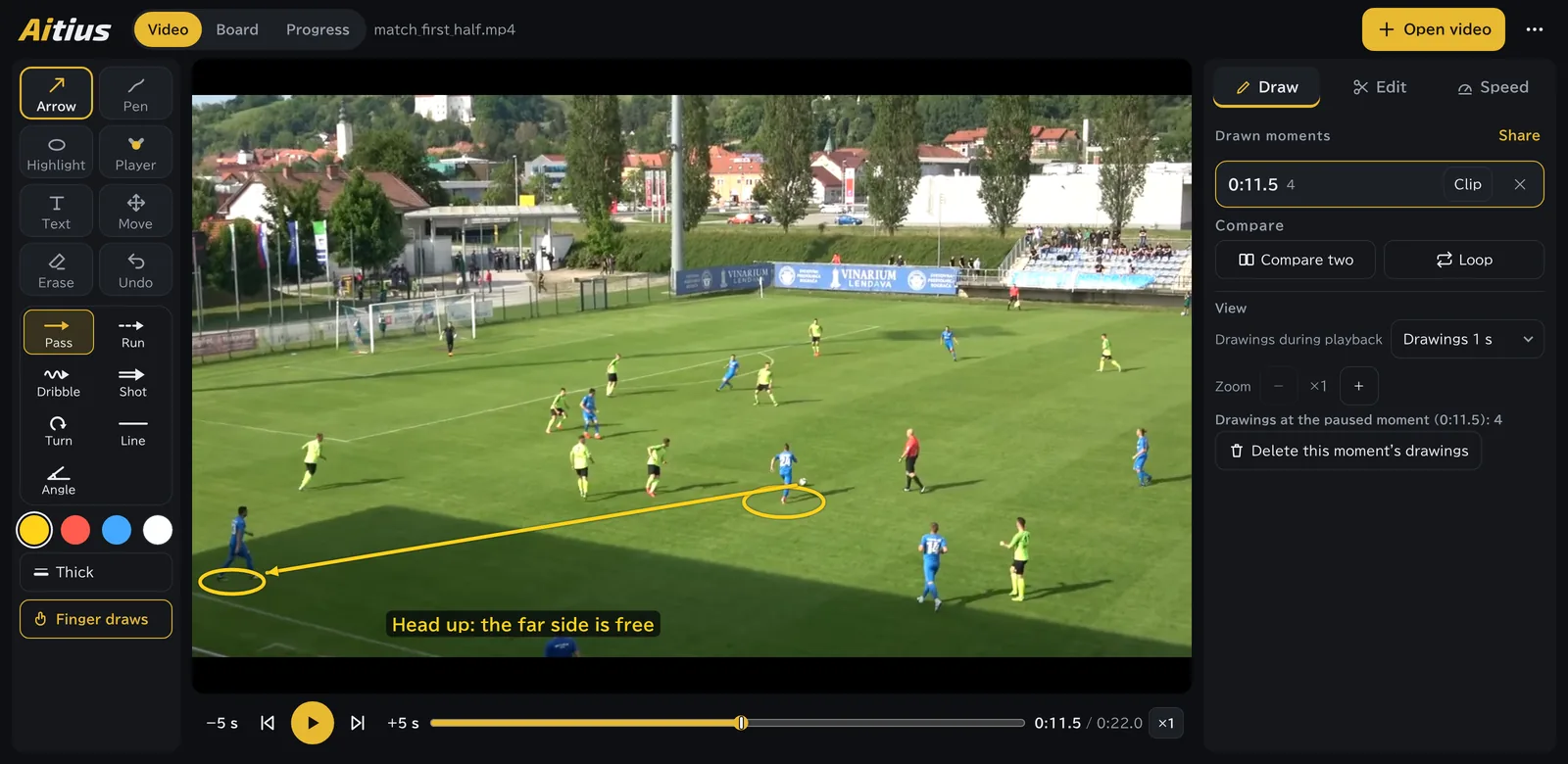
- Draw arrows and notes on a paused moment
- Animate plays on the board and share them with a link
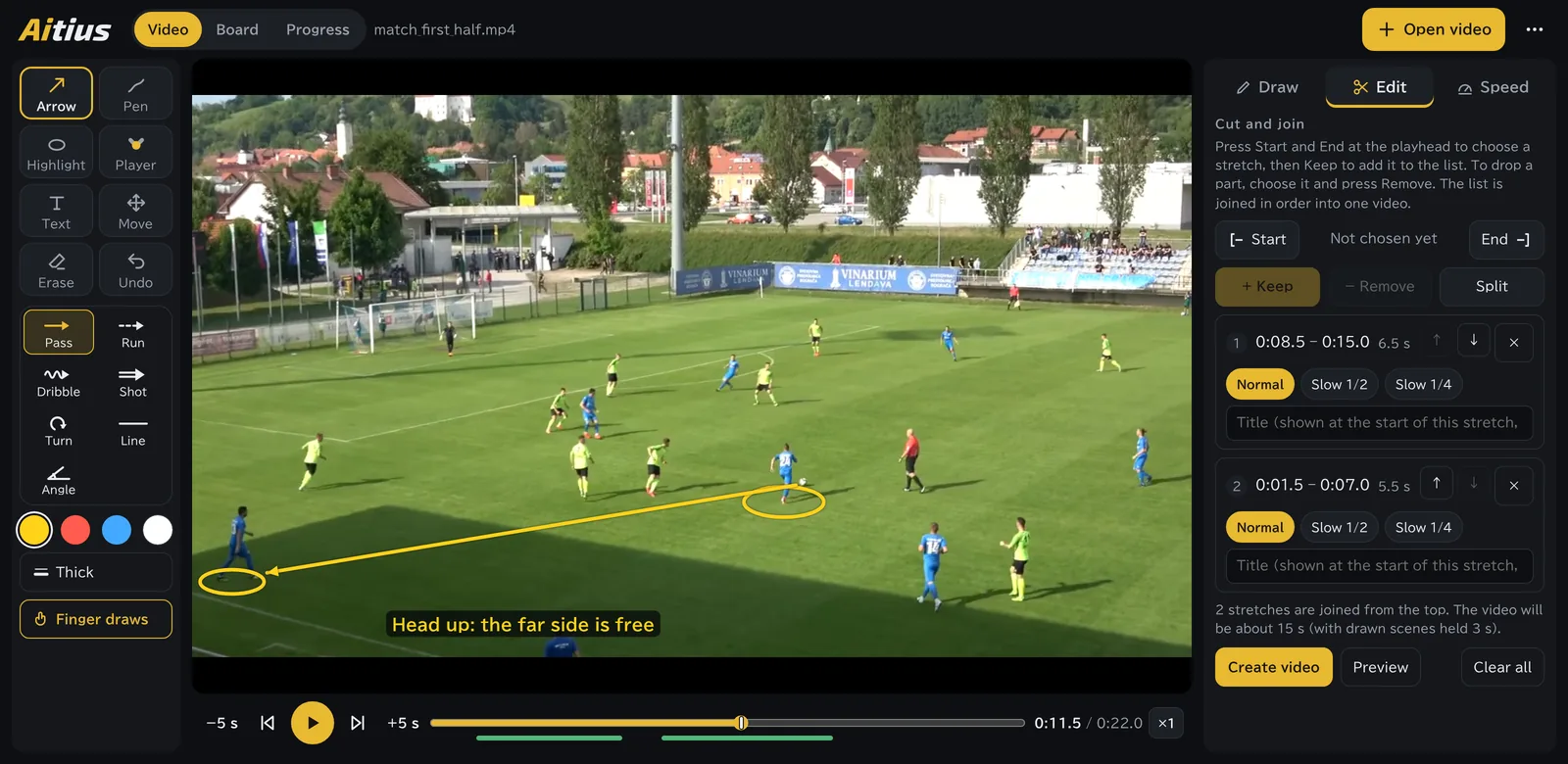
- Put just the moments that matter into one video
Video, tactics board and progress tracking in one app
Draw on match videos to show your team what you mean. Animate plays on the board and share them. Film your practice again and again to see yourself improve. One app for coaching a team and for training on your own.
No account needed. It works as soon as you open it in your browser, and you can add it to your phone or computer as an app.
Coaches and parents
With a team
Players and parents
On your own
Filming the match is the easy part. Watching it back and getting the point across to the team takes work. Here are the usual problems for each role, and what changes.
You say “stay wide” or “run in behind”, but the players cannot picture the same moment. A play drawn on a whiteboard does not show how it moves.
Stop the match video and draw passing lanes and positions with arrows. Show plays on the tactics board, moving step by step.
When the coach brings up a moment later, you cannot remember what happened. The good plays and the things to fix are gone once the match ends.
A clip from the coach shows the key moment with the drawings on it. Progress tracking keeps a record of how you improve.
The first and second halves end up in separate files, so watching and sharing take extra steps. Finding the moments you need takes time.
Cut, slow down and add titles to make a video of only the moments you want to show. Split files join into one without losing quality.
With services that upload video to the cloud, you have to check where it is stored and who can see it, and explain it all to parents.
Aitius is deliberately built with no way to upload videos. What the team shares is only the plays and the drawings.
Film, watch and compare, even on days without team training. Players and parents can keep it up with just a phone.
You can also compare yourself with a model video, or roughly compare sprint speed with your teammates (for reference only).
From reviewing matches to sharing plays and tracking each player’s progress.
Drawing on video
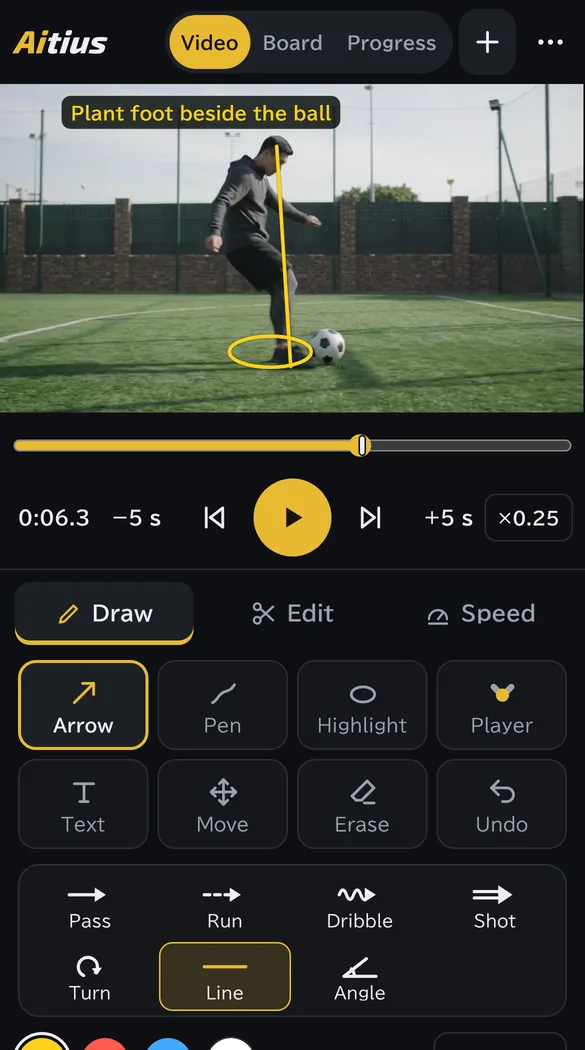
Explain passing lanes, runs and open space by drawing right on the moment. Drawings are saved with each moment and appear automatically when the video plays.
Tactics board
Place players and the ball and record the movement step by step; playback joins the steps smoothly. The offside line is drawn automatically from where the players are.
Cut and join
Choose stretches to keep, slow down the ones that matter, and add a title at the start of a stretch. Files filmed in parts, such as the two halves, join into one without losing quality.
Progress tracking
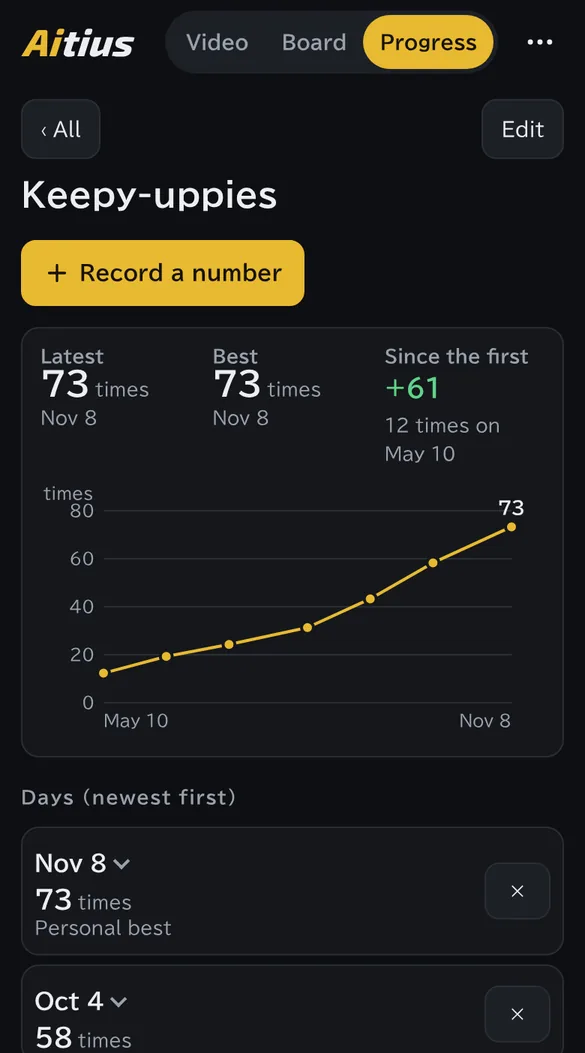
Film the same drill from the same spot and compare it side by side with earlier videos. Numbers such as keepy-uppie counts and times show up on a graph.
With a team or on your own, it fits your role and what you want to do.
Coach
“I want to show the key moments at half-time, right away.”
Drawing on video, clips
Coach
“I want to share today’s pattern before training starts.”
Tactics board, sharing by link
Parent filming
“I want a video of just the moments worth showing.”
Cut and join
Player
“I want to see my shooting technique for myself.”
Slow motion, frame by frame, drawing
Parent
“I want to track my child’s progress in home practice, together.”
Progress tracking
Parent
“I want to send the family just my child's best moments.”
Highlights
Choose your sport and team size when you first open the app, and the tactics board sets up the right pitch or court. You can change it later in Settings.
Playback, drawing, even the AI that finds players: everything runs on your own device. Aitius is deliberately designed with no way to upload videos, so footage of children never has to be handed to an outside server.
There is nothing to sign up for and no account to create.
Where to film from and what equipment to use: see Tips for filming and using Aitius.
No App Store or Google Play download. Add it from your browser and launch it from your home screen or app list like any other app. It works without a signal, too.
If ⋮ shows “Open in app”, it is already added.
If it is already added, an “Open in app” button shows at the right of the address bar.
All features are currently free to use. There is no account and no credit card to register.
Yes. No account is needed. Players and parents can use it to film home practice, check technique and record progress.
No. It works as soon as you open it in your browser. There is nothing to download from the App Store or Google Play; add it as an app from your browser to launch it from your home screen or app list (how to add it).
In your browser on your own device. They are never sent to a server. When you change phones, your plays and progress records move over with a backup file (the videos themselves are not included; use the files you filmed).
Send plays as a link and drawings as a file through WhatsApp, LINE or any chat. Whoever receives the drawings opens the same video, loads the file to see them, and can send drawings back. Send the videos themselves however you usually do. Clips with drawings and edited videos can be sent as they are.
For matches, film from somewhere high, level with the halfway line, with the whole pitch in view. For drills and technique, film from the side, from the same spot each time, so the videos are easy to compare. See Tips for filming and using Aitius for where to stand and what equipment to use.
MP4 and MOV videos filmed on a phone. iPhone videos in HEVC may not play on some devices.
iPhone, iPad, Android and computers, in an up-to-date browser (Safari, Chrome or Edge). The layout adapts to the screen, on a phone or a computer.
There are also courts for futsal, basketball, handball, volleyball, tennis, table tennis and badminton. Drawing on video, cutting and joining, and progress tracking work for any sport.
Yes, once you have opened it before. Add it as an app to launch it straight from your home screen.
Videos never leave your device, so using Aitius does not store them anywhere else. When you make and send clips or pictures, take care over who you send them to and who can see them.
A match or a practice. Free, no account needed, ready the moment you open your browser.
Start free